
Unwrapping CNPY: Moving From BNB Smart Chain to Canopy
By Adam Liposky, co-founder. A companion to CNPY Is Collateral First.
If you bought CNPY on an exchange, you're holding wCNPY on BNB Smart Chain. That's a fine place to trade it. But everything that makes CNPY part of Canopy happens on Canopy itself: securing apps, staking behind validators, and deciding which apps the network supports. Getting there takes one wallet confirmation and about two minutes. Here's how.
This guide explains what unwrapping changes, walks through the process in the Canopy app, and covers the three mistakes we see most often. It is written for anyone holding wCNPY in an EVM wallet who wants native CNPY on Canopy. It assumes no prior experience with the Canopy app.
Why the Two Forms Differ
wCNPY and native CNPY represent the same asset, but they live in different state machines and can do different things.
wCNPY is a balance in a contract on BNB Smart Chain. It can be transferred and traded on BNB venues. That is the full extent of what it can do, because everything else CNPY is used for happens in Canopy's own state machine. Staking, restaking toward app committees, the committee subsidization calculation, reward distribution, Security Root transaction fees, and governance are all Canopy operations, and they only recognize the native asset. A balance on another network is not visible to them.
Native CNPY can take part in all of those operations. It can be bonded as validator or delegator stake, directed toward the committees that secure individual apps, counted toward whether those committees qualify for protocol issuance, and used to pay fees on the Security Root.
There is also a system-level consequence. The collateral that secures apps on Canopy consists entirely of bonded native CNPY. CNPY held on BNB does not contribute to it. Where holders keep their CNPY therefore determines, in aggregate, how much collateral is available to back the apps built on the network. CNPY Is Collateral First covers this in detail.
Before You Start
You will need three things.
The wallet that holds your wCNPY. If you acquired CNPY on a venue, the wCNPY is in whichever EVM wallet that venue had you use. That is the wallet you will connect.
A small amount of BNB in the same wallet. Unwrapping is a transaction on BNB Smart Chain, so it needs BNB for gas. The cost is a fraction of a cent.
An amount large enough to clear the bridge fee. The bridge charges a flat 1 CNPY plus a 0.01 CNPY network fee, both deducted from the amount you move. The fee is flat, not a percentage, so small transfers lose a large share of their value. This is covered in more detail under common mistakes below.
During the process, the bridge shows two addresses side by side. The EVM address is the wallet holding your wCNPY on BNB Smart Chain. The Canopy address is where your native CNPY will be credited. The app pairs the two for you when you connect, so there is nothing to configure manually.
Step One: Connect
Open the Canopy app and choose Bridge from the left menu. Before a wallet is connected, both addresses read "Unavailable" and the action button is disabled. This is expected.
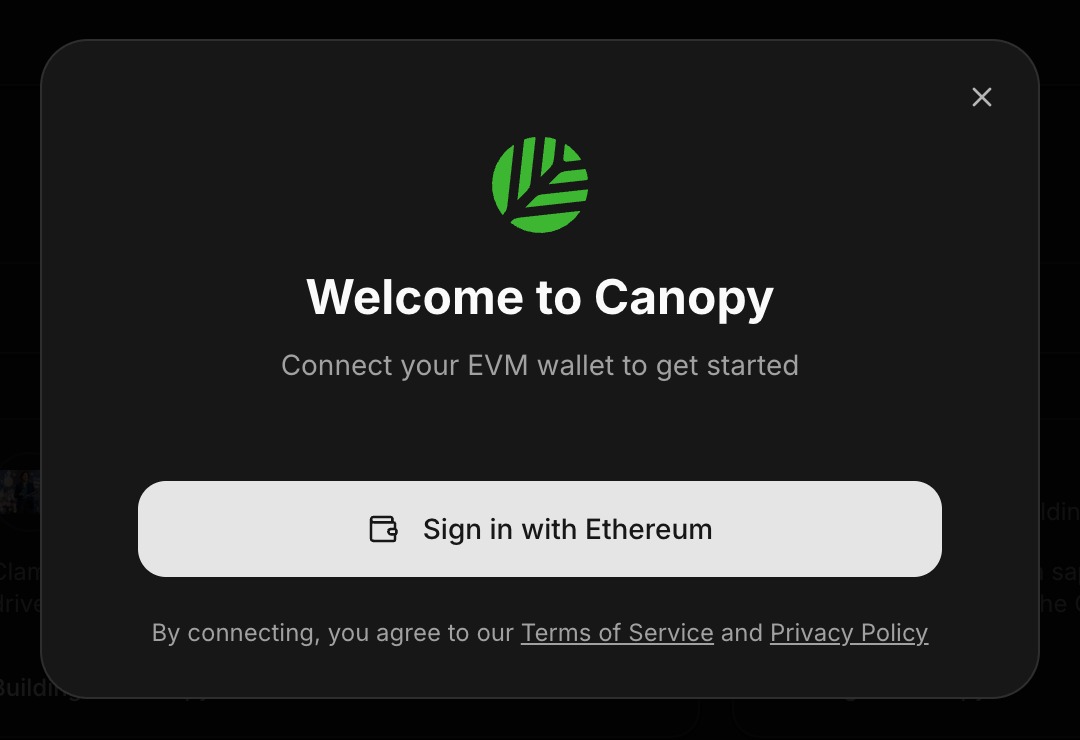
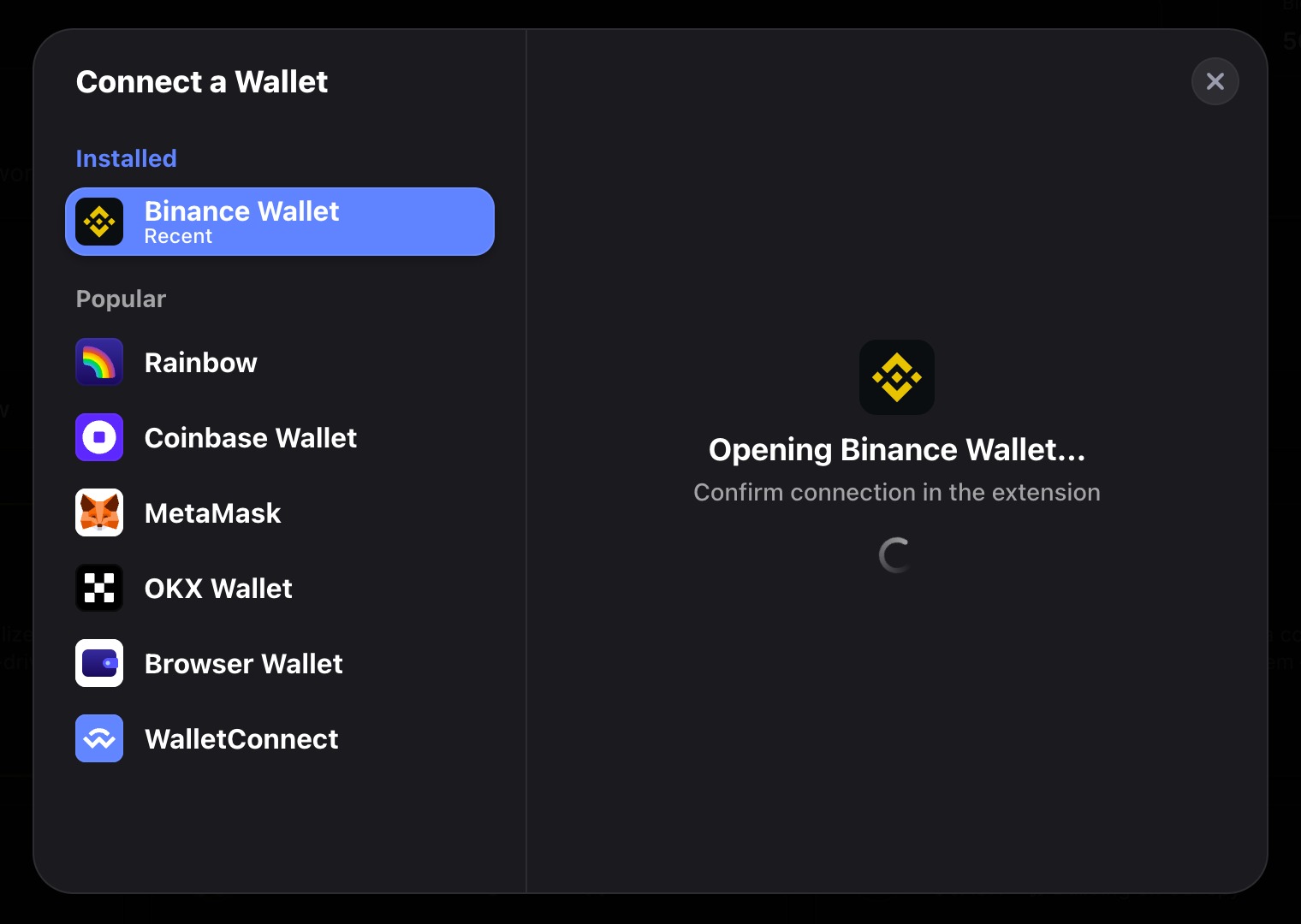
Choose Connect wallet. The picker lists any wallets already installed in your browser, followed by Rainbow, Coinbase Wallet, MetaMask, OKX Wallet, Browser Wallet, and WalletConnect. Select the wallet that holds your wCNPY.
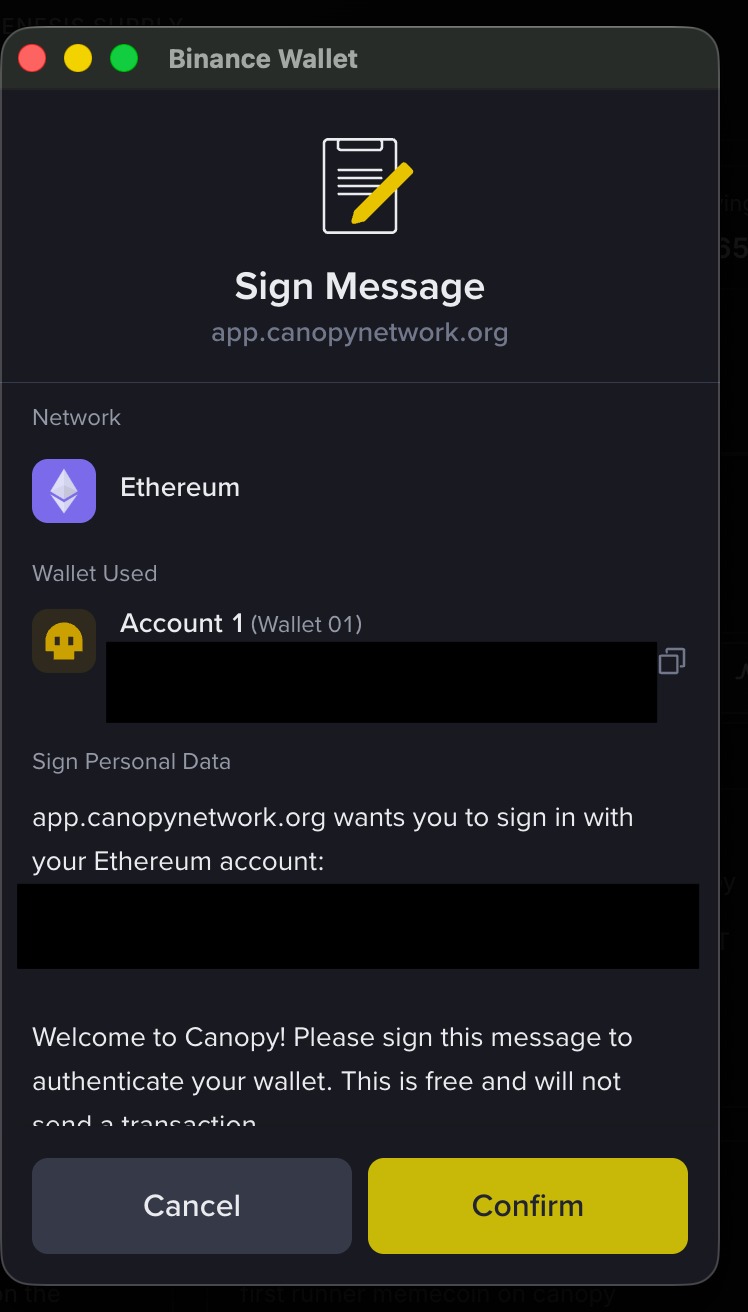
Your wallet will then ask you to sign a message to complete sign-in. The message states that signing is free and does not send a transaction. It only proves you control the address.
If this is your first time using the Canopy app, it creates a Canopy wallet for you as part of connecting. You will set a password of at least eight characters that includes an uppercase letter, a lowercase letter, a number, and a special character. Naming the wallet is optional. Store the password somewhere safe. It unlocks your Canopy wallet and signs your Canopy transactions. Canopy keeps an encrypted backup of the wallet, but it never stores the password, so it cannot be recovered on your behalf.
Step Two: Unwrap
The bridge opens on the Wrap tab by default. Wrap moves CNPY in the opposite direction, from Canopy out to BNB Smart Chain. Switch to Unwrap before doing anything else.
Enter the amount you want to move, or select Max. As you type, watch the You receive line below the field. It shows the amount that will arrive on Canopy after the bridge fee and network fee are deducted, and it will always be 1.01 CNPY less than the amount you enter.
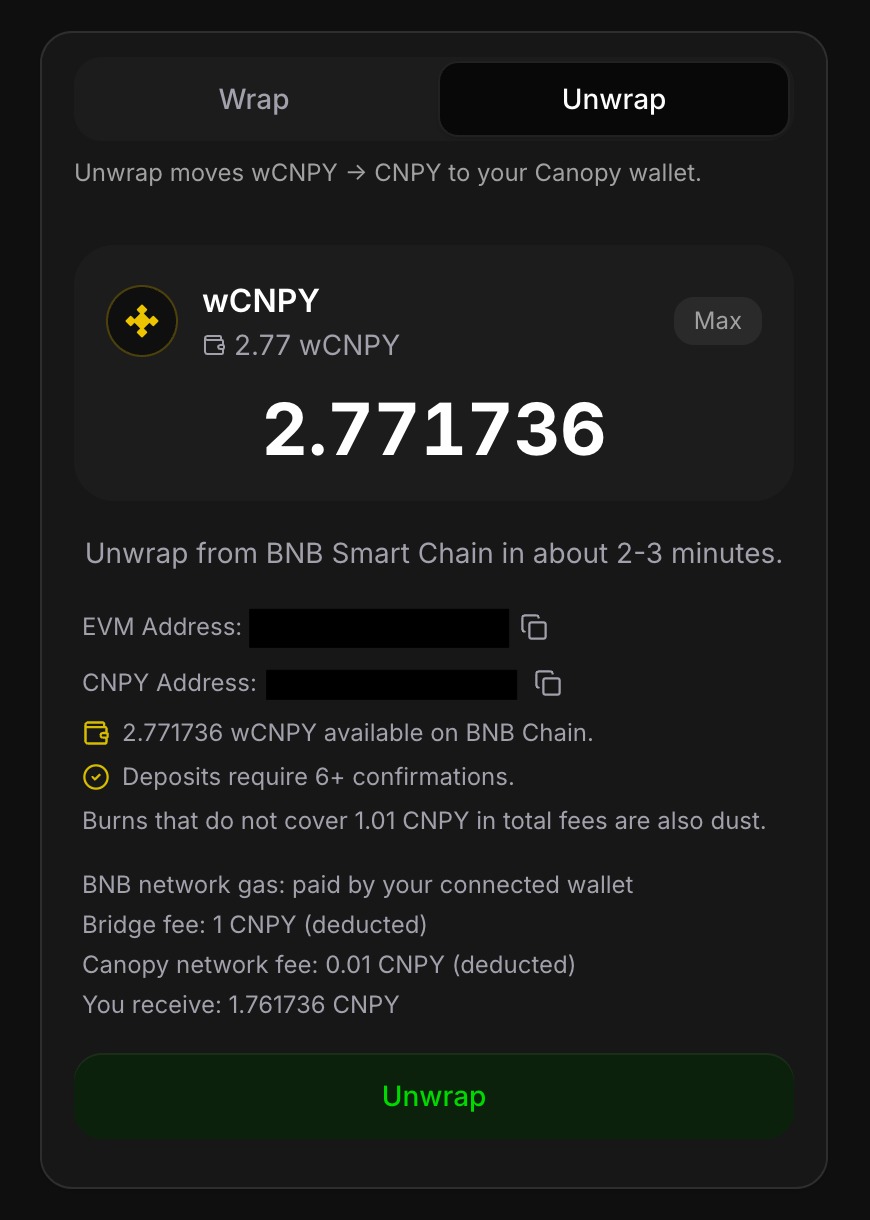
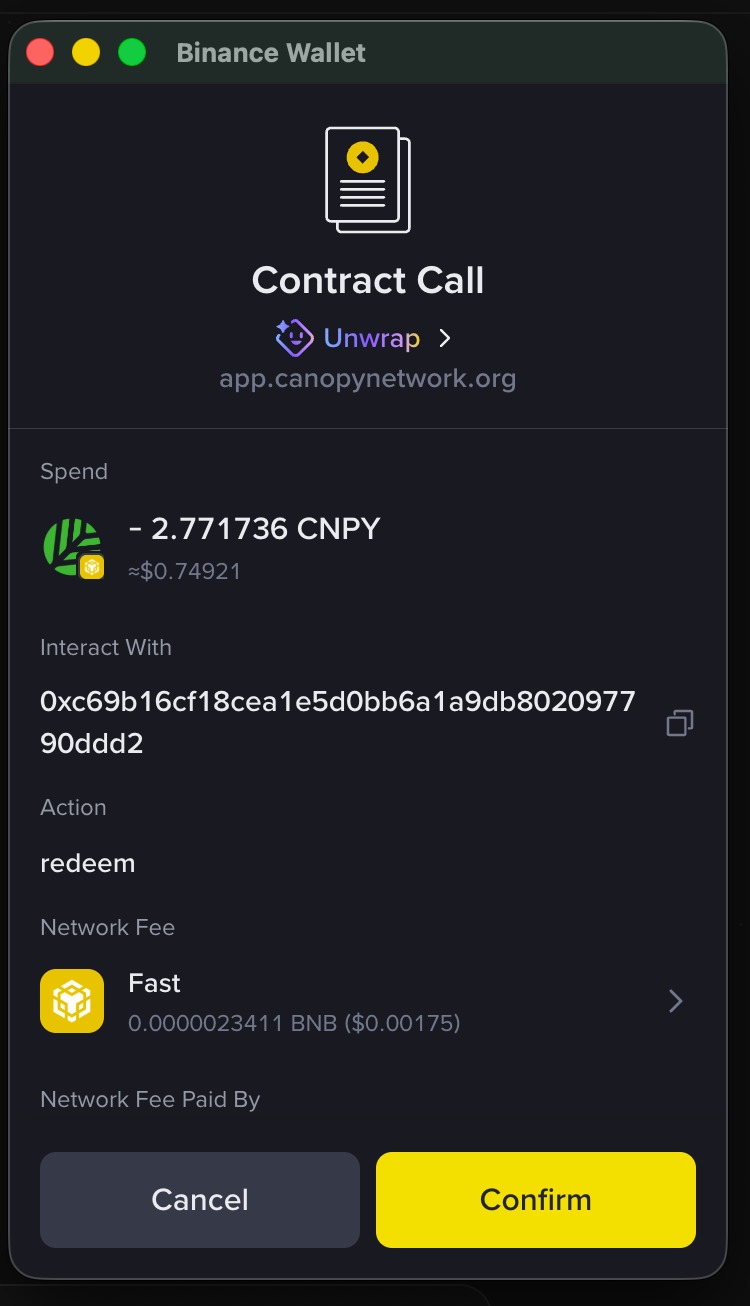
Select Unwrap. Your wallet will ask for a single confirmation. Before approving it, read it. The confirmation names the contract you are interacting with in full, and the action is labeled redeem. Compare the contract address against the Official Links page, which is the only place Canopy publishes it. If the address does not match exactly, reject the transaction.
Step Three: Confirm and Wait
Once you approve, the transaction is submitted to BNB Smart Chain. The gas cost is a fraction of a cent in BNB.
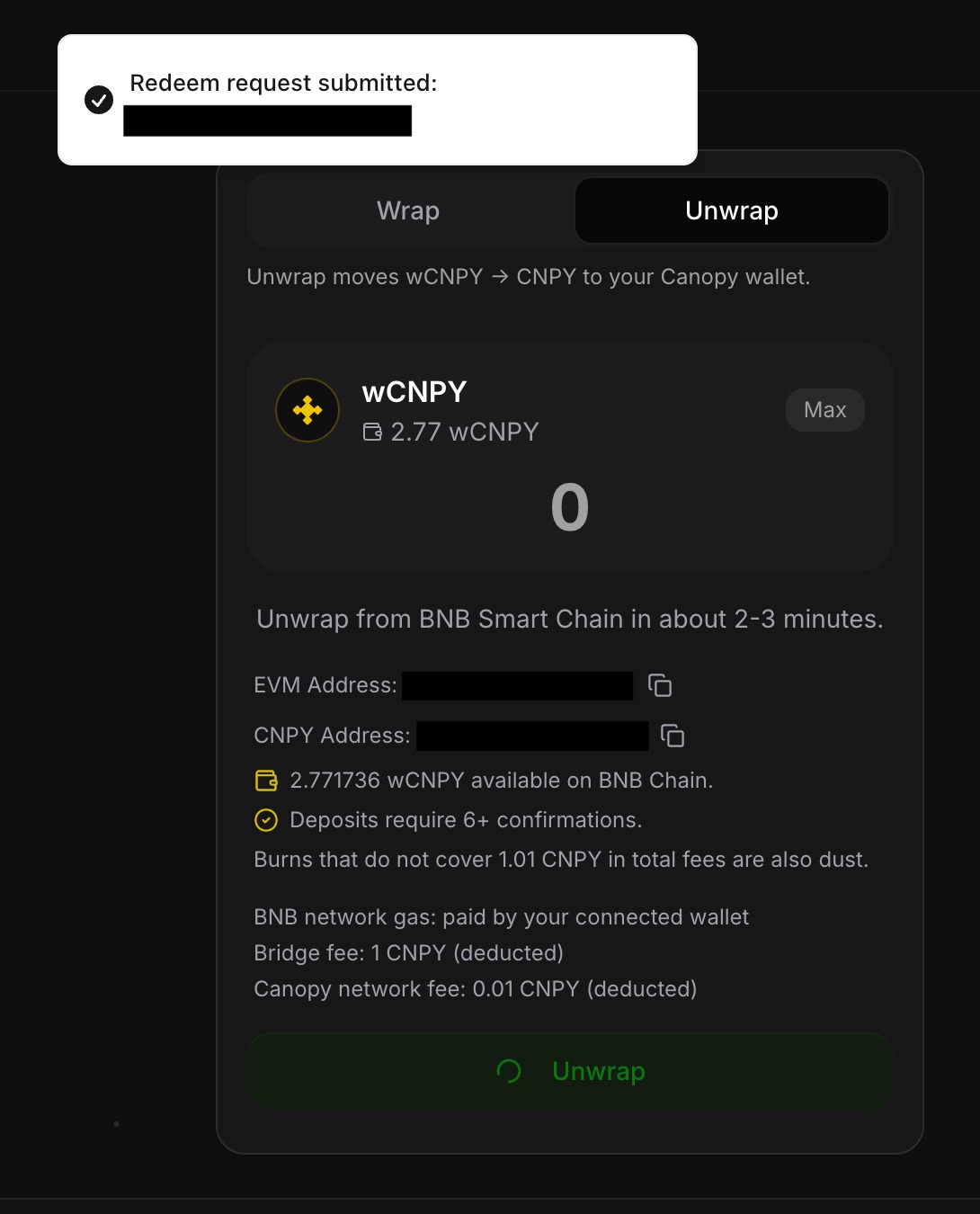
The bridge then waits for six or more block confirmations on BNB Smart Chain before crediting native CNPY on Canopy. Waiting for several confirmations protects against the source transaction being reorganized out of the chain after the bridge has already acted on it. The app allows two to three minutes for this step. In practice it usually completes in about one.
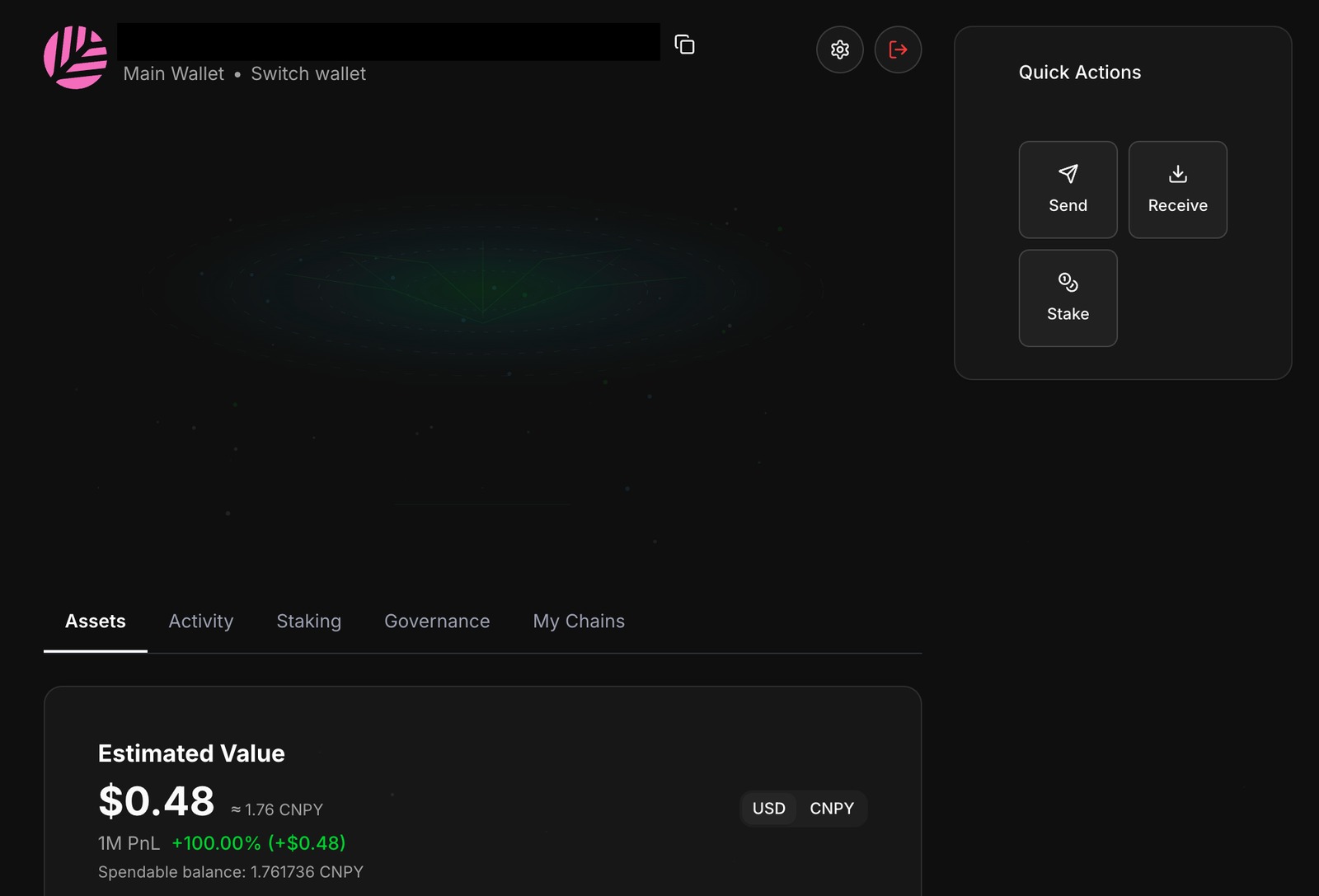
When it clears, open your Canopy wallet from the bottom left of the app. Your native CNPY balance will be shown there and is immediately spendable.
Three Common Mistakes
Using the wrong tab. Because the bridge opens on Wrap, it is easy to enter an amount without switching to Unwrap. Wrap sends CNPY from Canopy to BNB Smart Chain, the opposite of what this guide describes. Check which tab is highlighted before entering an amount.
Connecting the wrong wallet. The bridge can only see wCNPY held in the wallet you connected. If you use several wallets and the balance shows zero when you expect otherwise, the most likely cause is that a different wallet is connected.
Sending a test amount that is too small. This is the costly one. The bridge fee is a flat 1 CNPY, and the network fee is 0.01 CNPY. Both are deducted from the amount you move. Any transfer that does not exceed 1.01 CNPY in total is treated as dust. Sending a small test amount first is good practice, but the flat fee changes the arithmetic. Unwrapping 2 CNPY delivers 0.99 CNPY, so roughly half the test amount goes to fees. Choose a test amount large enough that the fee is an acceptable share of it, and rely on the You receive line rather than mental math.
Security
Canopy will never message you first, never ask for your seed phrase or private key, and never ask you to connect your wallet to a site in order to claim something.
Guides that explain how to move tokens are a common target for impersonation. A copy of this page with a single character changed in a link can route a wallet connection to a malicious contract. Open the bridge by navigating to the Canopy app yourself rather than following a link someone sends you, and verify any contract address or site that claims to be Canopy against the Official Links page.
After Unwrapping
Your CNPY is home. Now decide what it backs.
From the same wallet page, you can stake behind a validator and direct that stake toward the apps you want to support. Delegated stake counts toward which apps receive protocol issuance, so the people staking, not app teams and not us, decide what the network funds. The 33% Rule explains how that works.
The Canopy Terminal includes a Stake option, where you can bond CNPY as a delegator behind a validator and choose which app committees that stake is directed toward.
Nothing in this guide is financial advice.
Forge new ground with your sovereign app
Let your ideas take root and thrive. Deploy in minutes, with instant protection, distribution, and ownership.

Revolutionizing blockchain for every builder. Driving limitless creation with top-tier infrastructure.


